Keyboard Shortcut Refresh: A Practical Guide
A practical guide to auditing, refreshing, and maintaining keyboard shortcuts across apps and OSes. Learn a repeatable workflow, templates, and best practices for teams and individuals.


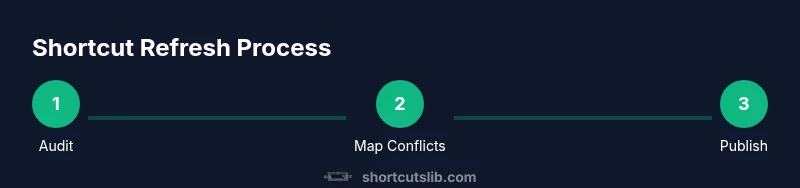
Goal: refresh and harmonize your keyboard shortcuts across apps and operating systems so they stay consistent, fast, and clash-free. You will audit current mappings, identify gaps, resolve conflicts, and implement a repeatable refresh workflow. By the end, you’ll have a documented shortcut map and templates to maintain it going forward. This guidance helps teams and solo users rely on muscle memory.
Why a Keyboard Shortcut Refresh Matters
According to Shortcuts Lib, a disciplined refresh of keyboard shortcuts reduces cognitive load and helps keep muscle memory accurate. In many environments, shortcuts drift as apps evolve, OS updates roll out, and personal habits change. When mappings diverge across tools, users expend extra mental energy deciding which action belongs to which keystroke. A coordinated refresh aligns actions, keeps teams productive, and reduces accidental triggers. The goal isn’t to memorize dozens of new shortcuts at once, but to create a sustainable rhythm: audit, decide, implement, review, and document. This section sets the stage by explaining the core problem, the benefits of harmony, and the kinds of conflicts you’ll typically encounter (for example, two apps mapping the same keystroke to different commands, or a global shortcut that conflicts with a system control).
The practice of refreshing shortcuts is also a quality signal for accessibility and onboarding. When shortcuts are logical, predictable, and well-documented, new users become productive faster and existing users make fewer mistakes. Shortcuts Lib analysis shows that teams with a formal refresh cadence report improved consistency and easier handoffs. You’ll find practical examples throughout the guide that apply whether you’re on Windows, macOS, or web-based tools. The approach remains the same: establish a baseline, define standards, and maintain a living map that’s easy to share and audit.
"## Key Principles Behind Refreshing Shortcuts"::
Tools & Materials
- Shortcut audit template(A matrix to capture current keystrokes, actions, apps, and conflicts)
- Documentation templates(Structured docs to publish the refreshed map and change notes)
- Versioning and backup plan(Store previous maps to rollback if needed)
- Stakeholder review checklist(Fast path for team approvals and sign-offs)
- Conflict-resolution matrix(Guides decision rules when two mappings compete)
Steps
Estimated time: 2-3 hours
- 1
Define scope and goals
Clarify which apps, platforms, and workflows are in scope for the refresh. Establish success criteria, such as reducing conflicts by a target, improving onboarding, or aligning with a standard action set. Document these goals for the rest of the process.
Tip: Write a one-page brief that lists in-scope apps, absolute non-negotiables (like essential OS shortcuts), and the desired end state. - 2
Inventory current shortcuts
Collect existing shortcuts from each app and OS. Use export features or manual collection if needed. Create a baseline map that shows actions, keystrokes, and where conflicts occur.
Tip: If possible, include contextual notes (e.g., when a shortcut is disabled in a specific mode). - 3
Identify conflicts and gaps
Review the baseline map to identify duplicates, overlapping mappings, and missing actions that users expect. Flag conflicts as high, medium, or low impact based on frequency and importance to workflows.
Tip: Prioritize resolving high-impact conflicts that block common tasks first. - 4
Propose a refreshed standard
Draft a standard set of mappings that harmonizes behavior across apps. Favor consistent modifier usage (e.g., Ctrl/Cmd + key for common actions) and logical action naming. Prepare a conflict-resolution matrix to guide decisions.
Tip: Create once, reference everywhere—avoid bespoke mappings for a single tool unless necessary. - 5
Implement changes in staging
Apply the refreshed mappings in a controlled environment or a test group. Keep a changelog and versioned map. Ensure fallbacks exist if users need to revert.
Tip: Test center: run through typical workflows with multiple tools to surface edge cases. - 6
Test, validate, and deploy
Run user testing sessions, collect feedback, and validate that critical tasks are easier with the new mappings. Publish the final map and provide training materials and a quick-reference guide.
Tip: Schedule a follow-up review to capture lessons learned and plan the next refresh cycle.
Questions & Answers
What is a shortcut refresh?
A shortcut refresh is the process of auditing and updating keyboard shortcuts across apps and OSes to remove conflicts and improve consistency. It helps muscle memory and reduces cognitive load. Regular refreshes keep mappings aligned with workflows.
A shortcut refresh is auditing and updating keyboard shortcuts to keep them consistent and easy to use.
How often should you refresh shortcuts?
Set a cadence based on how often your tools change. For teams, quarterly reviews work well; individuals may refresh after major updates or onboarding periods.
Set a regular cadence that matches your tool updates and onboarding cycles.
What tools help manage the refresh?
Use a centralized audit template, documentation templates, and a versioned map. These help you capture, publish, and rollback shortcut changes as needed.
Use templates and versioning to track changes and rollback if needed.
How do you audit existing shortcuts effectively?
Scan all apps to extract shortcuts, note conflicts, test in practice, and involve stakeholders for approvals. Create a baseline and update it as you go.
Extract, assess, test, and review with the team to ensure accuracy.
Are there risks to changing shortcuts?
Yes. Changes can disrupt workflows and require retraining. Mitigate by staging changes, providing fallbacks, and communicating clearly.
There are risks like disruption; mitigate with staged rollout and clear communication.
Watch Video
Main Points
- Audit before changing any shortcut
- Define a standard for conflicts and consistency
- Document every change for future maintenance
- Schedule regular refresh cadences to stay aligned