How to Choose the Best Keyboard
Learn how to choose the best keyboard with practical steps, feature comparisons, and expert tips from Shortcuts Lib. Explore form factors, switches, layouts, and testing strategies to find your perfect typing partner.


By the end of this guide you’ll know how to choose the best keyboard for your needs. Start by clarifying your use case—typing, gaming, coding, or portability—then compare form factors, switch types, and key layouts. You’ll learn a practical decision framework, how to test keyboards, and how to align features with your budget.
Why your keyboard choice matters
Choosing the right keyboard is more than picking a pretty switch. When you learn how to choose the best keyboard, you optimize comfort, productivity, and long-term health. According to Shortcuts Lib, the right keyboard can reduce typing fatigue, improve accuracy, and fit your workflow without forcing compromises. Start by mapping your daily tasks: long-form typing, precision in code, rapid tab-switching, or gaming reflexes. Your decision will revolve around four pillars: form factor, switch feel, key layout, and build quality. The form factor determines how your hands sit; the switch affects actuation and sound; the layout influences typing efficiency and compatibility with software; and the build quality ensures durability for daily use. Keep an eye on compatibility with your devices and operating system, especially if you use both Windows and macOS or mobile devices. This section outlines how these elements interplay so you can make an informed, confident choice.
Clarify your use cases before you buy
Start with a clear inventory of tasks you perform daily. If you type for hours, prioritize comfort and reliability; if you code, focus on key feel and keycap legends; if you game, consider polling rate and switch responsiveness. For mobile work, you may want a compact layout and wireless connectivity. Shortcuts Lib’s guidance emphasizes categorizing use cases into primary (work typing), secondary (gaming or coding), and travel needs. Write down your top three use cases, then rank features by how strongly they support each one. This upfront scoping saves you from paying for features you won’t use and helps you compare keyboards on a consistent basis.
Keyboard form factors: compact to full-size
Form factor determines how your wrists rest and how much desk real estate you need. Full-size boards offer a dedicated number pad and maximum key count, while TKL (tenkeyless) boards save space without sacrificing navigation keys. 75%, 65%, and 60% keyboards maximize portability but require layer switching for function keys. If you travel, a compact 60% or 65% may be ideal; if you do data entry or comfort typing, a full-size or TKL might be better. Shortcuts Lib notes that form factor should align with your desk setup and the way you naturally position your hands during long sessions. Test a couple of sizes in a store or at home to feel which posture feels most natural.
Mechanical vs membrane: understanding switches
Switch type defines the tactile feedback, noise, and actuation force you’ll experience every time you press a key. Mechanical switches come in tactile, linear, and clicky flavors, each with distinct actuation force and audible feedback. Membrane keyboards are often quieter and cheaper but can feel mushier and less durable over time. When choosing the best keyboard, consider your tolerance for sound, finger fatigue, and typing speed. If you’re a fast typist or a coder, mechanical switches often offer better consistency and longer lifespan. If you primarily type in a shared space, a quiet membrane with dampening can be a practical compromise. Try multiple switches in person and note how each feels after 10–15 minutes of continuous typing.
Key layouts and compatibility considerations
Key layouts come in ANSI (US standard) and ISO (Europe-standard) variants, affecting key placements like the Enter key and backslash. If you switch between devices or languages, validate the layout you’ll be using most. Some keyboards offer hot-swappable switches, allowing you to change feel without soldering. Compatibility extends to operating systems (Windows, macOS, Linux) and software suites (IDE, office apps). Check for USB-C vs. Bluetooth, key remapping capabilities, and any software that handles per-key macros. Shortcuts Lib’s guidance stresses choosing a layout and a feature set that stays consistent across your primary devices, so you don’t have to relearn key positions when you switch machines.
Testing keyboards: how to evaluate feel and performance
Hands-on testing is essential. Bring or borrow keyboards with different form factors and switch types to compare typing comfort, legibility of legends, keycap shape, and wobble. Evaluate bottoming out depth and actuation force by typing a few pages and coding snippets. Pay attention to bottoming resistance, key wobble, and legibility under glare. Use your typical tasks—typing, coding, gaming—to assess latency and rebound feel. If you frequently correct typos, test for keycap legends that stay clear under long-term use. Recording your impressions helps you build a simple rubric you can reuse across purchases.
Budgeting and realistic expectations
Prices vary widely based on form factor, build quality, and switch type. A practical approach is to segment features into must-have, nice-to-have, and optional tiers. For many enthusiasts, a reliable TKL keyboard with a preferred switch type is a solid default, with a plan to upgrade later if needed. Factor in ongoing costs like keycap replacements, maintenance tools, and potential software subscriptions for macros or lighting control. Shortcuts Lib recommends prioritizing build quality and feel over flashy RGB, especially if you type for extended periods; a sturdy, comfortable keyboard often yields greater long-term benefits than a higher-priced but less practical option.
Maintenance, care, and longevity
A keyboard’s longevity hinges on protective measures like keeping dust out of the switches, using a keycap puller for easy replacement, and occasional deep cleaning. Wipe surfaces with a microfiber cloth, and avoid harsh cleaners on keycaps. Periodically check stabilizers and stabilizer screws for rattle. If you choose hot-swappable switches, you can tailor the feel over time without full replacements. Regular maintenance reduces foggy legends, stiff switches, and unintended key misfires, preserving your investment. Shortcuts Lib notes that a well-maintained keyboard remains comfortable and responsive for years, provided you commit to routine cleaning and gentle use.
Putting it all together: a quick decision framework
With your use cases, form factor, switch type, layout, and budget laid out, create a simple scoring rubric. For each keyboard you test, assign points for comfort, accuracy, and compatibility. Subtract points for drawbacks like noise, excessive size, or poor software support. Prioritize your top three features and ensure the final choice aligns with your daily workflow. The rubric should be simple enough to reuse on subsequent purchases, so your decision process stays consistent. The Shortcuts Lib team recommends documenting your criteria and testing results to justify your final pick. This disciplined approach makes choosing the best keyboard less intimidating and more repeatable.
Tools & Materials
- Test keyboards (supporting multiple form factors)(Include at least one full-size and one compact model for comparison)
- USB cable or wireless dongle and power sources(Test both wired and wireless modes if available)
- Devices to test on (PC, Mac, mobile)(Ensure OS-specific key mappings work)
- Keycap puller(Useful for inspecting legends and swapping caps)
- Notebook or digital journal(Record impressions, scores, and questions)
- Lint-free cloth and cleaning wipes(Keep surfaces clean during testing)
Steps
Estimated time: 60-90 minutes
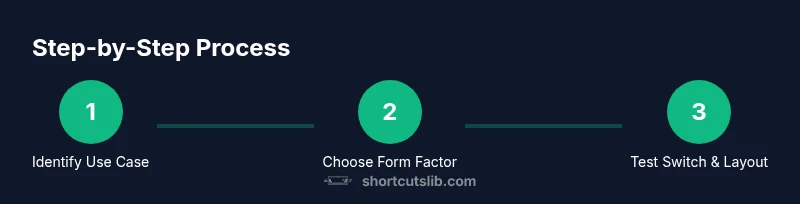
- 1
Identify primary use case
List your top tasks (typing, coding, gaming, travel) and rank their importance. This defines your priority for form factor, switch type, and layout. Write down a simple scoring rubric to compare keyboards later.
Tip: Focus on your longest or most frequent task; it should drive the decision. - 2
Choose a baseline form factor
Select at least two form factors (e.g., TKL and 60–65%) to compare on desk space, reach, and comfort. Ensure your setup with a monitor and chair supports the chosen sizes.
Tip: If you often use a mouse in the right hand, a smaller form factor can reduce wrist extension. - 3
Evaluate switch feel
Test several switch types (linear, tactile, clicky) by typing long passages. Note actuation force, travel distance, and sound level. Decide whether you prefer quiet or audible feedback.
Tip: If you’re unsure, try a tactile switch first; it’s a common middle ground. - 4
Check key layouts and software
Confirm ANSI vs ISO layouts, placement of the Enter/Backspace keys, and availability of per-key remapping. Verify compatibility with your OS and preferred macro or lighting software.
Tip: Prefer hot-swappable or easily replaceable keycaps if you expect wear over time. - 5
Assess build quality and durability
Inspect case rigidity, keycap texture, stabilizer behavior, and cable quality. A sturdy chassis reduces flex and wobble during intense typing.
Tip: Tap the case with a knuckle; a solid feel indicates durability. - 6
Test for latency and reliability
Use typing tasks and latency-sensitive tests to gauge input delay and Bluetooth stability. Compare wired vs. wireless performance where possible.
Tip: If you game, a wired connection usually yields the most consistent response. - 7
Consider time and budget
Estimate total cost including switches, keycaps, and potential maintenance. Align the price with your expected lifespan and usage intensity.
Tip: Set a ceiling price that reflects the keyboard’s expected years of use. - 8
Make a decision and plan maintenance
Choose the keyboard that best matches your rubric. Create a maintenance plan—cleaning cadence, keycap replacement schedule, and storage care.
Tip: Document your testing results for future reference.
Questions & Answers
What is the most important factor when choosing a keyboard?
The most important factor is how well the keyboard supports your primary use case, whether that’s typing comfort, coding precision, or gaming responsiveness. Align form factor, switch type, and layout with that use case, then verify build quality and compatibility.
Choose the keyboard that best supports your main task first, then check build quality and compatibility.
Mechanical vs membrane keyboards: which should I pick?
Mechanical switches offer a wider range of feel and longer lifespan, making them popular for typing and coding. Membrane keyboards are quieter and typically cheaper. Your choice depends on desired feel, noise level, and budget.
Mechanical keyboards feel distinct and durable, while membranes are quieter and cheaper.
Are hot-swappable switches worth it?
Hot-swappable switches let you swap in a different feel without soldering. If you anticipate experimenting with feel or upgrading over time, they’re worth considering.
If you want to tailor the feel later, hot-swappable switches are convenient.
Can I rely on wireless keyboards for gaming or coding?
Wireless keyboards can be reliable, but for latency-sensitive tasks like fast-paced gaming or competitive coding, wired connections often provide more stable performance.
Wired keyboards typically offer the most reliable latency for gaming and coding.
How important is the layout when buying a keyboard?
Layout choice (ANSI vs ISO) affects key placement and typing comfort. If you frequently use software with non-standard keys, verify layout compatibility with your workflow.
Layout matters for comfort and software compatibility; pick the one you’ll use most.
What should I do after purchasing a keyboard?
After buying, set up a routine for testing, cleaning, and firmware or software updates. Document what you like and what you’d change for future upgrades.
Test, clean, and update your keyboard after purchasing.
Watch Video
Main Points
- Clarify your primary use case before buying.
- Match form factor to desk setup and portability needs.
- Test switches and layouts hands-on to judge comfort.
- Balance build quality with budget for long-term value.
- Plan maintenance to extend keyboard life.