Fortnite Keyboard Controls for Beginners: A Step-by-Step Guide
Master Fortnite keyboard controls for beginners with core bindings for movement, building, editing, and combat. Learn layout customization, practice routines, and setup tips to build muscle memory quickly.


Goal: master Fortnite keyboard controls for beginners by learning core bindings for movement, building, aiming, and editing, plus practical warm-up drills. This guide also covers how to customize your layout, enable accessibility options, and practice efficient combos in Creative mode before jumping into matches. By the end, you’ll navigate the battlefield with confidence and reduce early-game deaths through consistent practice and muscle memory.
Fortnite Keyboard Controls: The Core Bindings
Mastering keyboard controls starts with understanding four core categories: Movement, Combat, Building, and Editing. For movement, most players rely on the standard WASD keys, Space to jump, and a quick dash or sprint option mapped to a nearby key. In combat, your primary fire is mouse-based, with aiming controlled by the right mouse button and reload or item swaps bound to accessible keys. Building and editing are where most players spend their practice time: you’ll place walls, floors, stairs, and roofs rapidly, then switch into edit mode to modify structures in real time.
According to Shortcuts Lib, establishing a stable keyboard layout is transformative for Fortnite beginners, helping you build muscle memory faster and reduce hesitation in chaotic moments. Start with a simple, consistent mapping you can keep using across practice sessions. Remember, the goal is to build a flow that feels natural rather than chasing every recommendation from every creator. Build confidence first, then iterate.
Movement and Camera: Quick Comfort and Precision
Fine-tuning movement and camera control is your gateway to survivability. Begin with a comfortable pace for turning and strafing to keep enemies in view while you reposition. Adjust mouse sensitivity so you can turn smoothly without overshooting your aim. Consider enabling a light aim smoothing option if your hardware introduces jitter, but avoid over-automation that dulls your responsiveness. Practice tracking stationary targets at close range to develop consistent aiming prior to intense encounters. The more you train with predictable inputs, the faster you’ll react when a fight starts. Shortcuts Lib recommends keeping a steady routine: practice breathing, then execute a three-step movement drill before entering combat.
Building Essentials: Quick Access to Walls, Floors, Stairs, Roofs
Building is the hallmark of Fortnite on PC. Start with a reliable set of bindings for walls, floors, stairs, and roofs, mapped to keys that sit within easy reach of your left hand. The objective is to place structures without moving your hand from the movement keys. Early on, avoid excessive keyboard gymnastics—focus on dependable sequences like placing a wall, then a floor for protection, followed by an additional layer if needed. This discipline reduces hesitation during tense moments and lets you maintain pressure on opponents. As you grow, you’ll layer more complex builds, which can be mapped to second-row keys for fast access.
Editing on the Fly: Fast Edits for Combat
Edit speed can decide a skirmish. Learn to enter Edit mode quickly, select the correct edit option, and reset edits when you misplace a piece. Beginners benefit from a single-edit cycle: open the edit grid, choose a basic shape (like a 1x1 window), preview through the wall, then reset back to full height if needed. Practice edge-cancel edits to avoid exposing too much of your position. The trick is to keep your edit bindings near your building keys so you don’t have to hunt for a mouse or touchpad during combat.
Aiming, Reloading, and Combat Tempo
Aiming is a blend of precision and speed. Boundaries between aiming and firing should feel seamless, with your index finger naturally reaching the primary fire button. Reload and weapon swapping should be muscle memory actions rather than conscious decisions. Maintain a steady rhythm for shooting and reloading to avoid stalling your attack. Combat tempo matters as much as accuracy: by staying calm and controlling your firing rate, you’ll maintain pressure while conserving resources. If possible, practice with a friend or in a controlled Creative arena to refine timing without pressure.
Customizing Your Layout: Left-Hand Priority and Profiles
A personalized layout helps you stay comfortable during long sessions. Start with a default mapping that emphasizes left-hand efficiency—keys that sit near WASD for quick access to movement and builds. Create at least one backup profile for different game modes or opponents. Use color-coded keycaps or a small cheat sheet taped near your monitor to reinforce mappings during sessions. Periodically test your layout in Creative mode to ensure there’s real improvement in reaction times, build speed, and accuracy. As you refine the setup, save profiles to easily switch between layouts for different playstyles.
Practice Plan: Warm-Up Drills and Routine for Muscle Memory
A structured practice plan helps you move from theory to habit. Begin with a 10-minute warm-up: light keyboard drills, then a 10-minute building-only sequence, followed by a 10-minute editing routine. Increase complexity by adding quick edits and target switching in short duels. Schedule at least 20 minutes of daily practice in Creative mode before attempting ranked play. Consistency matters more than intensity; small, repeatable improvements compound into meaningful skill gains over time. Shortcuts Lib analysis shows that players who commit to steady practice develop faster and retain bindings longer.
Accessibility, Ergonomics, and Setup Tips
Ergonomics matter as you spend hours practicing. Position your keyboard and mouse to reduce wrist strain, consider a wrist rest, and keep your monitor at eye level. If you experience fatigue, adjust chair height and desk distance to maintain a 90-degree angle at the elbows. Accessibility options like adjustable sensitivity and HUD scaling can help you perform more consistently. Finally, ensure your gear is clean and comfortable for extended sessions; a comfortable setup reduces distraction and supports longer focus during practice.
Tools & Materials
- Fortnite-ready PC or laptop with keyboard and mouse(Windows or macOS; ensure Fortnite runs smoothly with a wired keyboard and mouse)
- Keyboard(Any full or compact keyboard; prefer something with reliable switches)
- Mouse with adjustable DPI(Good middle-range DPI (e.g., 800–2400) for precise aiming; programmable buttons are optional)
- Mouse pad with ample space(Large surface helps consistent tracking during frantic engagements)
- Practice environment (Creative mode)(A safe space to test binds, edits, and builds without combat pressure)
- Cheat sheet or layout template(A quick reference during early learning phases)
Steps
Estimated time: 60-90 minutes
- 1
Set up a stable layout
Choose a layout that minimizes hand movement and places core actions within easy reach. Start with movement on WASD, jump on Space, and basic actions on nearby keys. Avoid frequent rebindings in the first practice sessions to build muscle memory.
Tip: Start with a single profile and stick with it for a week to notice improvements. - 2
Bind movement and basic actions
Ensure W/A/S/D control motion fluidly, with Space for jump and a nearby key for crouch or sprint. Keep firing and aiming controls bound to the mouse buttons. Confirm you can move and shoot without thinking about bindings.
Tip: Test during a short duel in Creative to confirm fluidity. - 3
Assign building actions nearby
Map walls, floors, stairs, and roofs to keys you can reach without moving your hands off WASD. Use a primary build key near your movement keys to reduce hesitation when under pressure.
Tip: Keep your most-used build to the most accessible key first. - 4
Create fast edit shortcuts
Bind an edit key and a separate reset key so you can quickly modify a structure during a fight. Practice opening the edit grid, selecting a basic shape, and resetting when necessary.
Tip: Practice a simple edit combo until you can perform it in under a second. - 5
Tune combat and inventory
Bind quick inventory actions and weapon swaps to easily accessible keys. Ensure you can swap weapons, reload, and interact without looking away from the target.
Tip: Use a weaponcycling pattern you can repeat in every engagement. - 6
Practice in Creative mode
Run a daily 20–30 minute session focusing on the core binds, then add quick builds and edits into combat-like scenarios. Save your profile when you reach a comfortable setup.
Tip: Record short clips of your practice to review form and speed later.
Questions & Answers
What are the best default bindings for Fortnite on PC?
There isn’t a universal best set; start with a simple layout near WASD for movement and mouse for aiming. Use a planning phase to refine build and edit keys that feel most natural to you, then stick with it while you practice.
There isn’t a single perfect default. Start simple near movement keys and adjust as you gain confidence.
How can I rebind safely without losing muscle memory?
Rebind only one or two keys at a time and give yourself a full practice session to adapt before trying more. Keep a reference sheet handy and test in Creative mode before using in matches.
Bind one or two keys at a time and practice fully before trying more changes.
What should I practice first when learning Fortnite keyboard controls?
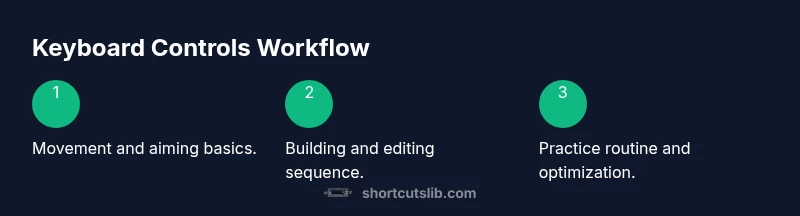
Begin with movement and aiming, then add basic building and editing. Ensure you can move, shoot, and place a wall quickly before introducing edits.
Practice movement and aiming first, then add building and editing.
Can I use a controller and keyboard together?
You can, but for consistency and improved precision, focus on keyboard controls first. You can adapt a controller later if desired, but separate muscle memory helps in intense moments.
You can mix inputs, but start with keyboard to build solid muscle memory.
How long does it take to adapt to new bindings?
Adaptation varies; many players see noticeable improvements after a few practice sessions. Stay consistent, review your binds weekly, and adjust only when you feel inefficiency creeping in.
Adaptation varies; consistent daily practice yields steady progress.
Watch Video
Main Points
- Lock a stable layout and practice it daily.
- Master core binds before expanding to advanced builds.
- Practice in Creative mode to build muscle memory without pressure.
- Prioritize comfort and ergonomics to sustain longer sessions.